EUR
EUR USD
USD JPY
JPY GBP
GBP CNY
CNYDesk Power Strip Safety: 6 Rules for a Safer Workspace

The power strip under a desk holds a monitor, a laptop charger, a phone cable, a desk lamp, and increasingly, a warming device. It is also the single most overloaded electrical point in the average home.
Over 3,300 home fires originate in power strips and extension cords every year in the United States (Electrical Safety Foundation International, 2016). Most of those fires start at a desk, where a single strip quietly supports devices that draw far more power than it was designed to handle.
Here are six rules that cover the actual risks of a desk power strip. None of them require an electrician. All of them take less than five minutes to check.
1Never Daisy-Chain Power Strips
Daisy-chaining, which means plugging one power strip into another to get more outlets, is the single most common cause of power strip fires. Each strip in the chain adds electrical resistance, and the first strip ends up carrying the combined load of everything downstream. A power strip rated for 15 amps can overheat and ignite when it is forced to carry 25 amps through a second strip plugged into it.
The National Fire Protection Association (NFPA 1 Fire Code, 2024) explicitly prohibits daisy-chaining in its electrical safety standards. If more outlets are consistently needed, the correct response is a single power strip with more sockets, not a chain of cheaper ones.
2Know Your Wattage Budget
Every power strip has a maximum wattage rating, usually printed on the back or bottom. For a standard 15-amp strip on a 120-volt circuit, that maximum is 1,800 watts. The safe operating load is 80% of that (1,440 watts) to leave headroom for power surges when devices turn on.
Here is what common desk devices actually draw:
| Device | Typical Wattage | Notes |
|---|---|---|
| Laptop charger | 45–100W | Higher for gaming laptops |
| External monitor (24–27") | 25–60W | Larger monitors draw more |
| Phone charger (fast charge) | 15–30W | USB-C PD chargers peak higher |
| Desk lamp (LED) | 5–15W | Negligible load |
| Desktop computer (mid-range) | 200–400W | Spikes on startup |
| Electric warming tray / bowl | 20–40W | Low draw, safe for power strips |
| Space heater | 750–1,500W | Never plug into a power strip |
| Printer (laser, active) | 300–600W | Intermittent high draw |
Add up the wattage of everything plugged into a single strip. If the total exceeds 1,440 watts, move devices to a second wall outlet on a different circuit. Space heaters are the one device that should always go directly into a wall outlet. Their current draw is too high for any power strip to handle safely.
3Keep Power Strips Off the Floor
A power strip on the floor is exposed to spilled drinks, vacuum cleaners, foot impacts, and dust accumulation. Dust is particularly underestimated. It settles into the outlet sockets over months and creates a fire risk when combined with the heat from a loaded strip.
A power strip that sits on the desk surface is safer, easier to inspect, and far less likely to get wet. Vertical tower-style strips are designed for this: they stand upright on the desk, take up minimal surface area, and keep all connections visible and accessible.
4Check for Safety Certifications
Look for a safety certification mark from a recognized testing lab, such as UL or ETL. UL is the abbreviation for Underwriters Laboratories, and ETL is operated by Intertek. Both marks indicate the product has been independently tested to meet electrical safety standards. Uncertified power strips, typically the cheapest options from unknown brands, often lack internal fuses, overload protection, and adequate wire gauge. They are functionally extension cords with extra holes and none of the safety features.
5Replace Power Strips Every 3–5 Years
Power strips degrade. The internal contacts loosen over thousands of plug/unplug cycles. The insulation on the cord hardens and cracks, especially near the plug end where bending stress concentrates. Internal circuitry, particularly any thermal protection components, loses effectiveness after years of heat cycling.
If a power strip is more than five years old, has a loose socket, a discolored plug, or a cord that feels stiff or brittle, replace it. These are not cosmetic issues. A loose socket causes arcing, which is a direct fire precursor.
6Never Run Cords Under Rugs or Carpets
Hiding a power strip cord under a rug traps heat. Over hours of use, the trapped heat softens the cord's insulation. Foot traffic and chair wheels compress the cord repeatedly, accelerating damage to the wire beneath. The NFPA (2024) reports that cords under carpets are a leading cause of electrical fires in home offices.
Use adhesive cable clips to route cords along the back edge of a desk or along a baseboard. It takes ten minutes and eliminates the fire risk entirely.
Choosing a Desk-Safe Power Strip
If an inspection of the current setup reveals any of the issues above, replacing the power strip is straightforward. For a desk specifically, the ideal power strip has three characteristics:
- Vertical tower design: sits on the desk surface, off the floor, with outlets spaced far enough apart that bulky chargers do not block adjacent sockets.
- Built-in USB-C ports: eliminates the need for separate wall adapters for phones and tablets, reducing the number of devices competing for AC outlets.
- Flame-retardant housing: the outer shell should be rated for at least 850°C (1,562°F) thermal resistance, meaning it will not ignite or deform under abnormal heat conditions.
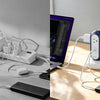
MiaoLab Tower Power Strip meets all three: a vertical tower form factor with 4 AC outlets and 2 USB-C ports , an 850°C flame-retardant housing, and a weighted base that prevents tipping. It is designed specifically for desk environments where floor placement is not an option.
If your desk power strip is old, overloaded, or sitting on the floor, it is time to replace it. MiaoLab Tower Power Strip keeps every connection on the desk surface, away from spills and dust, with enough outlets and USB-C ports for a full workspace.
Related Guide
-
Veröffentlicht in
cable management, Desk Power Strip, desk setup, electrical safety, Home Office, Power Strip Safety, surge protection