EUR
EUR USD
USD JPY
JPY GBP
GBP CNY
CNYHow to Choose a Tower Power Strip: 6 Specs That Matter
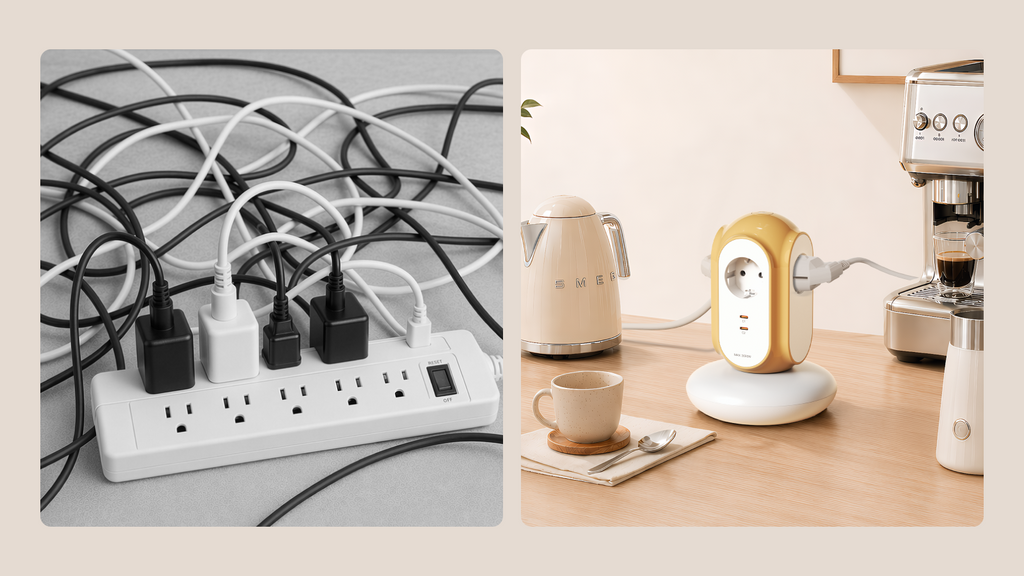
A tower power strip can save desk space and make multiple devices easier to access. But more outlets do not always mean a better power strip.
If you're comparing tower power strips, look beyond the socket count. These six specifications have a bigger impact on everyday use: USB-C wattage, flame-retardant materials, base stability, cable length, rated load, and outlet spacing.
1. Check USB-C Wattage
Don't judge a power strip's charging capability by the number of USB ports alone. Check the USB-C output wattage and charging standards.
For phones, tablets, and other USB-C devices, look for USB-C PD or PPS. A 30W USB-C PD port, for example, can provide substantially more charging power than a basic USB port.
Also check whether the advertised wattage applies to each USB-C port individually or to the combined USB output.
If most of your devices charge through USB-C, two high-output USB-C ports can be more useful than several low-power USB ports.
USB-C vs. USB-A
For a new power strip, USB-C is generally the more useful option. Newer phones, tablets, earbuds, and other devices increasingly use USB-C, while USB-A remains useful for older accessories.
A power strip with built-in USB-C charging can also reduce the number of separate chargers taking up space around your desk.
2. Check the Flame-Retardant Rating

A power strip may remain connected to the mains for hours or even days, so the material used for its housing matters.
One specification you may see is UL94 V-0, a flammability classification for plastic materials. V-0 indicates strong self-extinguishing performance under the UL94 test method.
When comparing power strips, also check:
- Flame-retardant material or rating
- Electrical safety certifications
- Rated voltage and current
- Maximum power
Both MiaoLab EU tower power strip models use a V-0 flame-retardant housing, providing the same housing material protection across the two versions.
The important point is to look at the complete product specification rather than judging a power strip by one number alone.
3. Look at Base Stability
The vertical design is one of the biggest advantages of a tower power strip, but it also makes stability important.
A tower with a stable base is less likely to move when cables are pulled from the side or when devices are plugged and unplugged frequently.
When comparing models, look for:
- A stable, well-supported base
- Anti-slip feet where available
- A design that keeps the tower upright during everyday use
This matters particularly on desks, bedside tables, shelves, and other surfaces where cables are frequently moved.
Base stability isn't an electrical safety rating, but it can make a noticeable difference to everyday usability.
4. Choose the Right Cable Length
Cable length is easy to overlook when buying a power strip online.
For many desktop setups, around 2 meters is a practical middle ground. It provides enough reach from a wall outlet to a desk without leaving excessive cable on the floor.
As a general guide:
- Under 1.5 m: may be restrictive for some desk setups
- Around 2 m: practical for many workstations
- Over 2.5 m: useful for larger layouts but creates more cable to manage
Before buying, measure the distance between your wall outlet and the intended location of the power strip.
5. Check Rated Load
For any power strip, rated load is one of the most important specifications.
European power strips may commonly be rated at 16A / 3680W for a 230V electrical system. Always stay within the manufacturer's stated limits and consider the combined power requirements of the devices you connect.
A workstation might include a:
- Monitor
- Laptop charger
- Desk lamp
- Speaker
- Phone charger
- Humidifier
When comparing products, look for clearly stated information about rated voltage, rated current, and maximum power.
A clearly stated rated load helps you understand how much electrical equipment the power strip is designed to support.
6. Look at Outlet Spacing, Not Just Outlet Count
Six outlets don't necessarily give you six usable outlets.
Large laptop chargers and bulky adapters can block neighboring sockets when outlets are packed too closely together.
When comparing a tower power strip, look at:
- Distance between outlets
- Adapter clearance
- Vertical distribution
- Whether larger plugs can be used side by side
This is one area where tower designs can have an advantage. By distributing outlets vertically, they can provide better access and spacing without taking up as much desk width.
The goal isn't simply more outlets. It's more usable outlets.
How MiaoLab EU Tower Power Strips Compare
Once you know which specifications matter, comparing different tower power strips becomes much easier.
| Specification | Typical Tower Strip | MiaoLab 3-Socket + USB-C | MiaoLab 6-Socket |
|---|---|---|---|
| USB-C | 18W or none | 30W PD/PPS, 2 ports | — |
| Flame-retardant housing | Varies | V-0 | V-0 |
| Base stability | Varies | Stable base | Stable base |
| Cable length | 1.5 m or less common | 2 m | 2 m |
| Rated load | Varies | 3680W / 16A | 3680W / 16A |
| Outlet layout | Often crowded | 3 spaced Schuko + USB-C | 6 spaced Schuko |
The best choice depends on your setup.
If you mainly charge USB-C devices, prioritize USB-C wattage and PD/PPS support.
If you're connecting multiple AC-powered devices, pay closer attention to rated load, stability, and outlet spacing.
Tower or Flat Power Strip?
A tower power strip is particularly useful when you frequently access your outlets, use several bulky adapters, or have limited horizontal desk space.
A flat power strip may be better behind a TV console, underneath a fixed desk, or anywhere you want a low-profile solution that can stay hidden.
The tower shape is ultimately about access, spacing, and footprint.
Quick Checklist Before You Buy
Before choosing a tower power strip, check these six things:
- USB-C wattage: Does it support PD or PPS?
- Flame-retardant materials: Is the rating clearly stated?
- Base stability: Is the tower stable enough for everyday use?
- Cable length: Will it comfortably reach your wall outlet?
- Rated load: Is it suitable for the devices you plan to connect?
- Outlet spacing: Can bulky adapters actually fit?
Don't choose a tower power strip simply because it has the most sockets.
Choose one that gives you the right combination of charging, protection, stability, and usable space.
Compare the two on the product pages and pick the one that fits your desk: