EUR
EUR USD
USD JPY
JPY GBP
GBP CNY
CNYDesk Cables a Mess Right Now? Fix It in 10 Minutes With What You Already Have

The average desk collects more cables than the person using it ever notices, until the day one pulls free and the whole surface goes quiet. Chargers, monitors, lamps, headphones, a laptop brick, and a webcam all leave a trail, and the trail turns into a tangle the moment something gets moved. The fix rarely needs a trip to a store.
Unplug Everything and Start From Zero
Half the stress of cable management comes from trying to tidy a live, tangled system. Power the desk down, unplug every cable, and lay them out. Group them by where they end: things that go to the monitor, things that go to the floor, things that stay on the surface. Seeing them separated makes the next steps obvious, and it takes two minutes.
Reuse What You Already Own
The best cable tools are probably already in a drawer. Twist ties from bread bags still work. Rubber bands bundle a power brick. A binder clip clipped to a desk edge becomes a cable catch that holds a charging cord exactly where your hand expects it. An empty toilet paper roll stores an extension cable without coiling kinks into it. A bent paperclip makes a tiny wall hook for a lightweight cord. None of these cost anything, and all of them beat a cable snake that you have to unroll every time.
Route Cables Behind, Not Across
Cables that run across the visible surface read as mess even when they are organized. Move them behind the monitor, down the back leg of the desk, or under the rear edge where the eye never lands. A few adhesive clips or a strip of hook-and-loop fastener along the underside keeps them fixed in place. The goal is not zero cables. It is cables that the eye does not have to process.
Give Power a Single Home
The floor is where cables go to multiply. A single vertical power source on the desk collects chargers and keeps them off the ground, which also means one place to check instead of five.
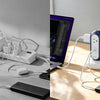
MiaoLab Tower Power Strip carries 4 AC outlets and 2 USB-C ports at 30W, in a vertical tower that takes up less of the desk than a laptop. Its shell is rated to 850°C flame-retardant and the weighted base keeps it from tipping, so it stays put through the daily unplug-and-go.
Do a Two-Minute Weekly Reset
A clean desk is easy to undo. Once a week, spend two minutes pushing stray cables back into their clips and unplugging what is not used. The habit costs almost nothing and prevents the slow creep back to a knot. A calm surface is maintained, not achieved once.
Give power one tidy home and keep the floor clear. MiaoLab Tower Power Strip bundles 4 AC outlets and 2 USB-C ports at 30W in a vertical, stable tower built for a real desk.