EUR
EUR USD
USD JPY
JPY GBP
GBP CNY
CNYWhy Your Desk Setup Matters More Than You Think
When was the last time you looked at your desk—not to work, but to really notice it?
Most desk setups are not intentionally designed. A monitor sits wherever the cable reaches. A power strip ends up on the floor because that is where the outlet is. Chargers accumulate, cables intertwine, and everyday objects slowly take over the workspace.
None of these decisions seems important on its own. Together, however, they shape how a workspace feels every day. A desk is not only where work happens. It can also influence your comfort, your ability to concentrate, and whether you enjoy sitting down each morning.
The good news is that creating a better workspace does not require a complete makeover. In many cases, the smallest details make the biggest difference.
Here are four common desk setup problems that are easy to overlook, along with simple ways to improve them.
Problem 1: Tangled and Visible Cables
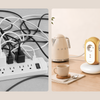
Look under your desk. If you see a tangled group of charging cables, power cords, and display cables, you are not alone.
Visible cable clutter can make an otherwise clean desk feel unfinished. It also makes cleaning more difficult and can make individual cables harder to identify when something needs to be unplugged or replaced.
The solution does not need to be complicated. Use cable clips to guide individual cords, a sleeve to bundle cables running in the same direction, and a tray or channel to route excess length beneath or behind the desk.
The goal is not to hide every cable at any cost. It is to create clear routes so that the cables you need remain accessible without dominating the workspace.

Problem 2: An Inconvenient Power Strip
Many desks still rely on a flat power strip placed on the floor or hidden behind furniture. This may keep it out of sight, but it can also make everyday access inconvenient.
Each time you need to connect a charger, lamp, or temporary device, you may have to reach behind the desk or crawl beneath it. Floor placement can also expose the strip to more dust and make the surrounding cables harder to organize.
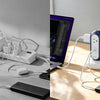
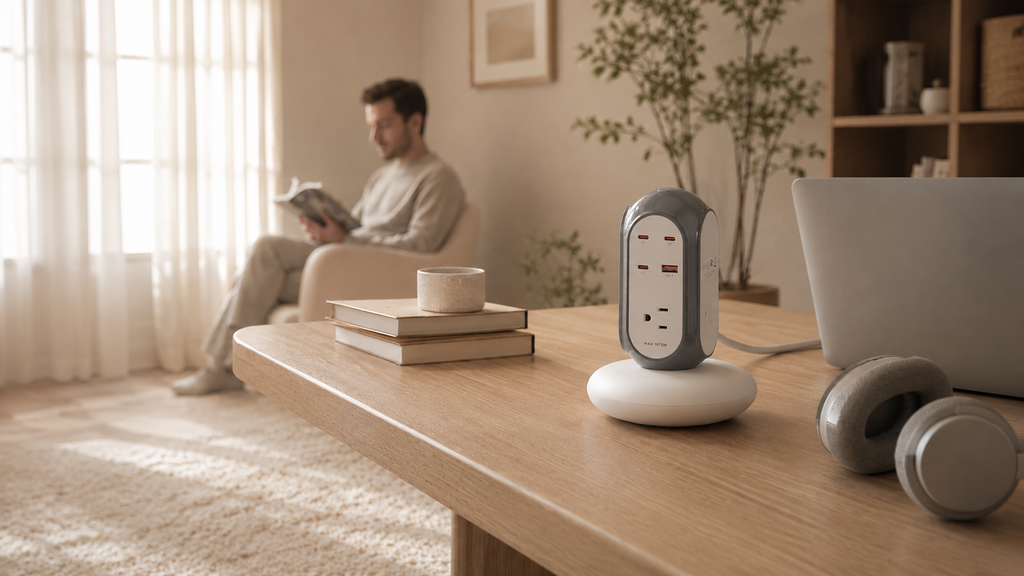
A vertical or upright power strip provides a different approach. Its smaller footprint can make it easier to position on a desk, shelf, or other accessible surface, while multiple outlets and USB ports remain within reach.
For a setup where appearance matters as much as access, the MiaoLab Tower Power Strip combines an upright form with multiple connection options and a compact, stable base.
Problem 3: No Visual Anchor
A desk can be tidy and functional while still feeling impersonal.
Many memorable desk setups have one visual anchor: a desk lamp with a warm glow, a small plant, a framed image, a sculptural object, or a functional product with a distinctive shape.
The best anchor is not necessarily expensive. It is simply something you enjoy seeing and that gives the workspace a clear sense of personality.
Choose one or two objects rather than filling every empty area. A strong focal point usually works better than many unrelated decorations competing for attention.
Problem 4: Food and Drink Temperature Is an Afterthought
How many times have you prepared coffee, placed it beside your keyboard, and forgotten about it until it became cold? The same thing can happen to lunch during a long meeting or focused work session.
Food and drink are part of the desk experience, yet most workspaces are arranged as though temperature does not matter.
Small changes can help. Keep your mug away from cold surfaces and direct airflow, use a lid between sips, and avoid placing drinks close to electronics or the edge of the desk.
For people who regularly work through meals or drink coffee slowly, temperature-controlled drinkware can provide a more consistent experience than repeatedly reheating a cup.
Related guide:
5 Easy Ways to Keep Coffee Hot Without a Smart Mug →
Quick Desk Improvement Checklist
These five changes can make a noticeable difference in less than ten minutes:
- Bundle loose cables with a sleeve, reusable ties, or cable clips.
- Move the power strip to a dry, accessible position where cables can be routed clearly.
- Add one object that gives the desk personality without creating clutter.
- Place drinks away from the desk edge, electronics, and direct airflow.
- Adjust the monitor so the upper part of the screen is around eye level and the viewing position feels comfortable.
Small Details Create a Better Workspace
Your desk is one of the environments you see most often. It deserves the same attention you might give to a living room, kitchen, or bedroom.
A better workspace is rarely created by adding as many products as possible. It is created by removing friction: fewer tangled cables, easier access to power, a clearer visual focus, and everyday items positioned where they are comfortable to use.
Every thoughtful desk setup is shaped by small decisions. When those details work together, the desk becomes more than a place to complete tasks—it becomes a place you genuinely enjoy using.
Explore practical everyday products designed to reduce small frustrations and make home routines feel more considered with MiaoLab Living.
Frequently Asked Questions
How can I make my desk look cleaner without replacing everything?
Begin by organizing visible cables, removing items that are rarely used, and giving frequently used objects a fixed position. These changes usually create a larger visual improvement than replacing the desk or monitor.
What is the easiest way to manage desk cables?
Group cables by destination, secure them with reusable ties or a sleeve, and route them through clips or an under-desk tray. Leave enough slack for devices that need to move.
Should a power strip be placed on the floor or on the desk?
The best position depends on the setup. It should remain dry, ventilated, stable, easy to access, and away from areas where it may be kicked, crushed, or exposed to drinks.
What is a visual anchor in a desk setup?
A visual anchor is one object or area that naturally attracts attention and gives the workspace character. It could be a lamp, plant, artwork, speaker, or well-designed functional item.
How many decorative objects should I keep on my desk?
There is no fixed number, but one or two meaningful objects are often enough. Too many unrelated decorations can reduce usable space and make the desk feel cluttered.
How can I keep coffee warm while working?
Preheat the mug, cover it between sips, keep it away from cold surfaces and direct airflow, or use temperature-controlled drinkware when longer heat maintenance is needed.
Where should I place my monitor?
Position the monitor at a comfortable viewing distance with the upper part of the screen around eye level. The exact position should allow you to sit naturally without repeatedly bending your neck.
What should I improve first in a desk setup?
Start with the source of the most daily friction. For many people, that is cable clutter, inconvenient access to power, poor monitor positioning, or too many objects occupying the working area.
-
Posted in
cable management, desk setup, Home Office, productivity, tower power strip, workspace